
AGENT ORCHESTRATION · WHERE IT STARTED
Agent Lord
Where this workflow started: a tool for dispatching coding agents from one main session.
Written in August, it hands tasks to Claude Code, Codex and MCode, lets them work in parallel and review each other, and records every step. Using it showed me the bottleneck wasn't the number of agents: they couldn't run the product to prove their work, and decisions I'd already made got lost across handoffs. Since late September, new work goes through dev-skills instead.
Description checked on · View the source revision 775bc88
What it is
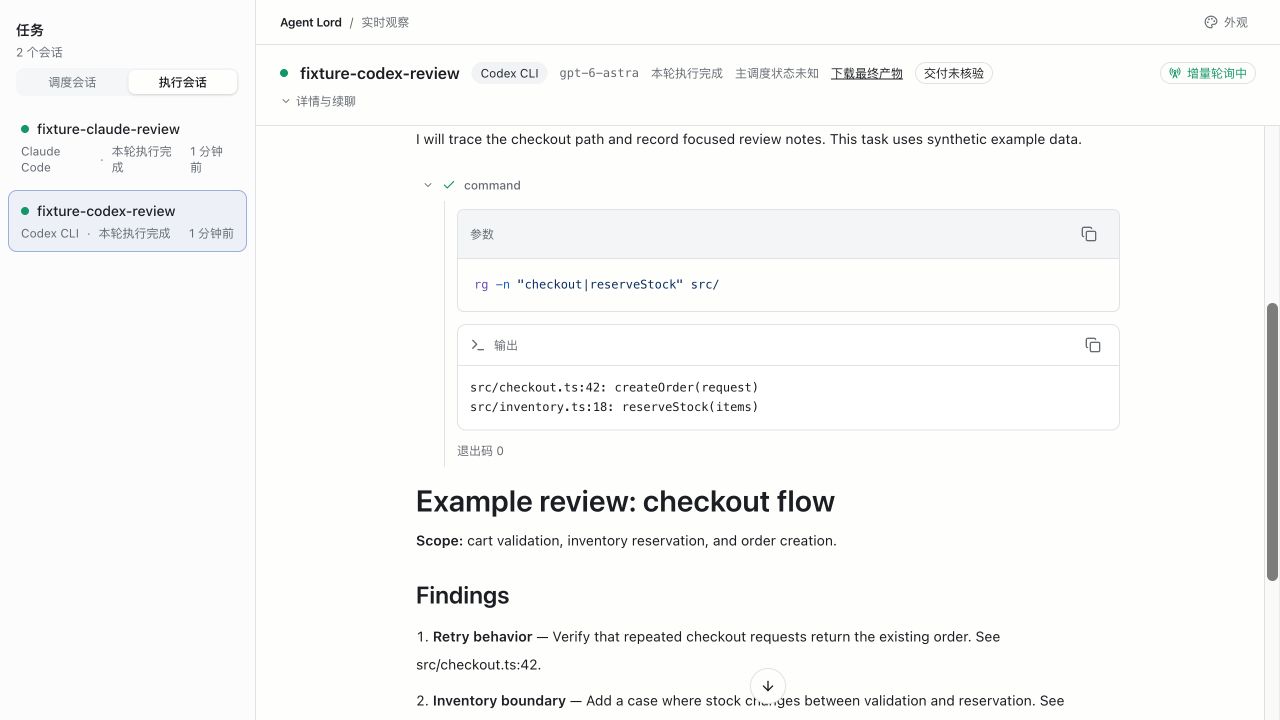
From one main session in Codex, Claude Code or MCode, you hand work to Claude Code, Codex CLI, MCode CLI or Codex App tasks. Agent Lord keeps each task's execution settings, session, progress and output, so the main session can supervise the work and continue it in later turns.
It has three parts: a Skill that guides the main session, a CLI runtime that runs and records the work, and an Observer that shows progress. The main session splits the work, dispatches it and accepts the results. Executors can use their own tools and subagents, but can't call Agent Lord themselves.
Its pipelines
Multi-session workflows I ran often became pipelines. Each one sets who does the work, what can run in parallel, which evidence unlocks the next step, and when to stop.
Cross-review
MCode and Codex review independently, then swap findings and challenge each other. A fresh MCode session then rules on every item on its own. Whether the workflow completed and whether the code has problems are reported separately.
Read the pipeline policy ↗Plan cross-review
After two reviewers cross-examine each other, a fresh checker verifies their findings and proposed fixes and rewrites the complete plan. Another fresh session then checks the plan against the spec and the source. The author never checks its own final document.
Read the pipeline policy ↗Plan to implement
Acceptance scenarios are fixed before any code. The plan's stages run in order on one branch, one session per stage, and the final review and acceptance run on the same head. With your authorization, it opens or updates one PR/MR per repository; it never merges.
Read the pipeline policy ↗
A successful run, delivered files, passing tests and correct code are judged separately. Cross-review reports whether the workflow completed apart from whether the code has problems. Plan to implement opens a PR or MR; merging stays a human decision.

Why I stopped using it for new work
Agent Lord was built to run several agents at once. In practice, two other things held up delivery. The agents couldn't start and operate the product they were building, so problems often surfaced only when I used it myself. And decisions I'd already made got lost from one handoff to the next. More agents meant more for me to check and more to repeat.
Since late September, new work goes through dev-skills. First, the repository gets a verification environment the agent can start, operate and observe on its own. Then one agent owns the work end to end and hands parallel work to its own subagents when it needs to. Finally, a model from another family verifies the result independently. Having different models check each other carried over into the new workflow.
If you want to try it
The repository is still public. The pinned revision needs Node.js 24+, pnpm 9.12.0, Git, and an installed, logged-in CLI for each provider. MCode needs version 0.4.9 or later, and Codex App tasks also need the host tools in Codex Desktop. The pipelines depend on review-rules, plan-for-agents and explain-as-fool from dev-skills, installed separately.
Before you run it
The Observer doesn't start tasks or move pipelines forward. When you explicitly ask, it can open the terminal for an existing CLI session. Codex App endpoints show task state only; CLI endpoints also show the conversation and tool activity.
At the pinned revision, the Skill starts new CLI tasks with permission bypass enabled. "Review only, don't change anything" is an instruction in the task; it doesn't turn the process into a read-only sandbox. Read the execution contract before your first run, and choose the working directory and permissions with care.
Read the execution contract · Validated locally on macOS; CI covers macOS and Linux. The project doesn't claim end-to-end validation on Windows.